#include <boost/preprocessor/control/iif.hpp>#include <boost/preprocessor/facilities/empty.hpp>#include <boost/preprocessor/comparison/greater_equal.hpp>#include <iostream>#include <string>#include "singleton.hpp"
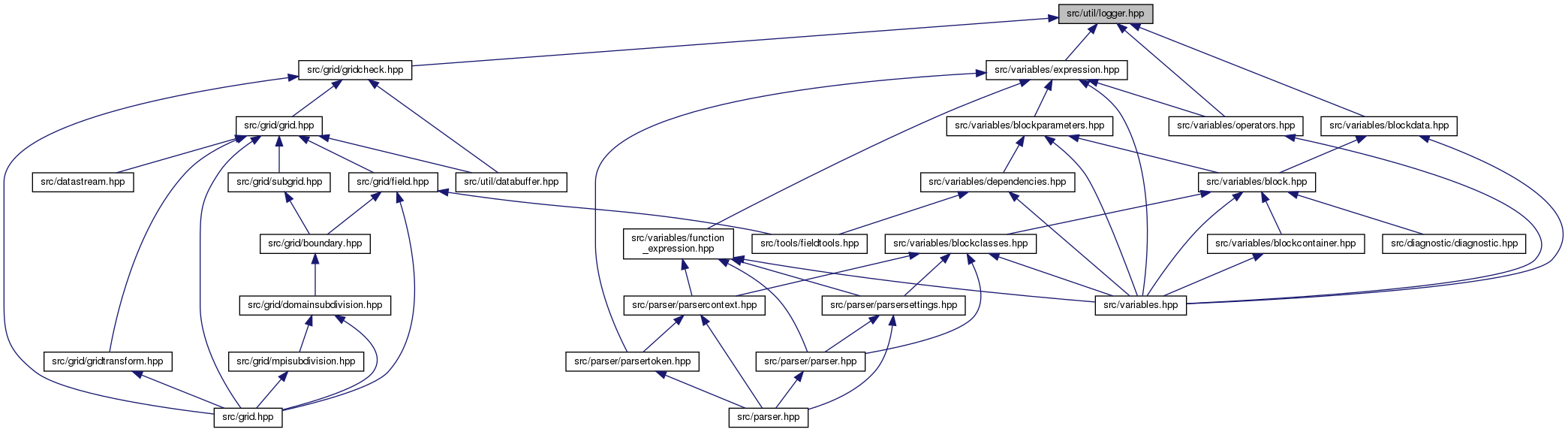
Go to the source code of this file.
Classes | |
| class | schnek::schnek::CreateUsingNew< TYPE > |
| class | schnek::schnek::Singleton< TYPE, CreationPolicy > |
| class | schnek::Logger |
Macros | |
| #define | SCHNEK_TRACE_LOG(i, x) |
| #define | SCHNEK_TRACE_ERR(i, x) |
| #define | SCHNEK_TRACE_ENTER_FUNCTION(i) |
| #define | SCHNEK_TRACE_EXIT_FUNCTION(i) |
| #define | LOGLEVEL 0 |
Detailed Description
Defines the Logger singleton and macros for using it
Example:
#undef LOGLEVEL #define LOGLEVEL 2
WRITELOG(1,"Level 1")
WRITELOG(2,"Level 2")
WRITELOG(3,"Level 3")
WRITELOG(4,"Level 4")
WRITELOG(5,"Level 5")
This will only produce code for the level 1 and 2 statements. All other macros expand to nothing.
Macro Definition Documentation
◆ LOGLEVEL
| #define LOGLEVEL 0 |
Predefines the log level if it is not defined.
To redefine to eg level 5 use the following commands:
#undef LOGLEVEL #define LOGLEVEL 5
◆ SCHNEK_TRACE_ENTER_FUNCTION
| #define SCHNEK_TRACE_ENTER_FUNCTION | ( | i | ) |
◆ SCHNEK_TRACE_ERR
| #define SCHNEK_TRACE_ERR | ( | i, | |
| x | |||
| ) |
Macro for writing to the error log.
The first argument is the log level of the message, the second argument is the string passed to the LoggerInstance::err stream.
When the current log level is higher or equal than the log level of the message, the output will be generated, otherwise the macro extends to an empty code string and no code whatsoever will be generated.
The message argument can consist of multiple strings or values concatenated with <<. It should end in a newline.
◆ SCHNEK_TRACE_EXIT_FUNCTION
| #define SCHNEK_TRACE_EXIT_FUNCTION | ( | i | ) |
◆ SCHNEK_TRACE_LOG
| #define SCHNEK_TRACE_LOG | ( | i, | |
| x | |||
| ) |
Macro for writing to the normal log.
The first argument is the log level of the message, the second argument is the string passed to the LoggerInstance::out stream.
When the current log level is higher or equal than the log level of the message, the output will be generated, otherwise the macro extends to an empty code string and no code whatsoever will be generated.
The message argument can consist of multiple strings or values concatenated with <<. It should end in a newline.
